Home → Workflow → Editor views
Editor views
The same document, four ways to see it. Toggle from the editor toolbar — ✦ Structured, ✎ Visual, ◉ Preview, Source XML. Content stays in one place; the view changes what you're working on.
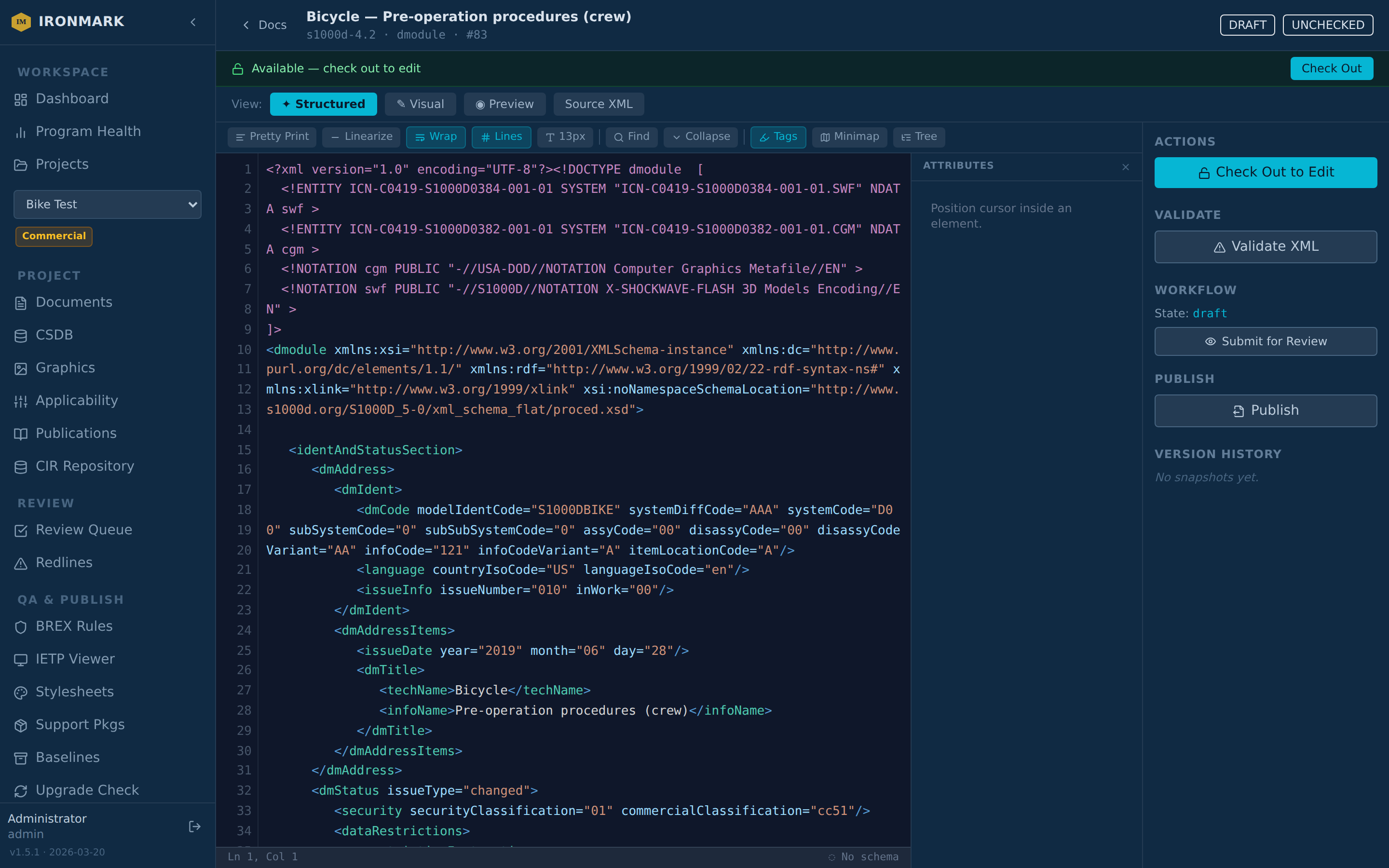
Structured
The default. Schema-aware widgets on the left, a tree of the document's element structure on the right. Insert menus offer only elements the schema (and the document's current context) actually allow — no more guessing which child is legal.
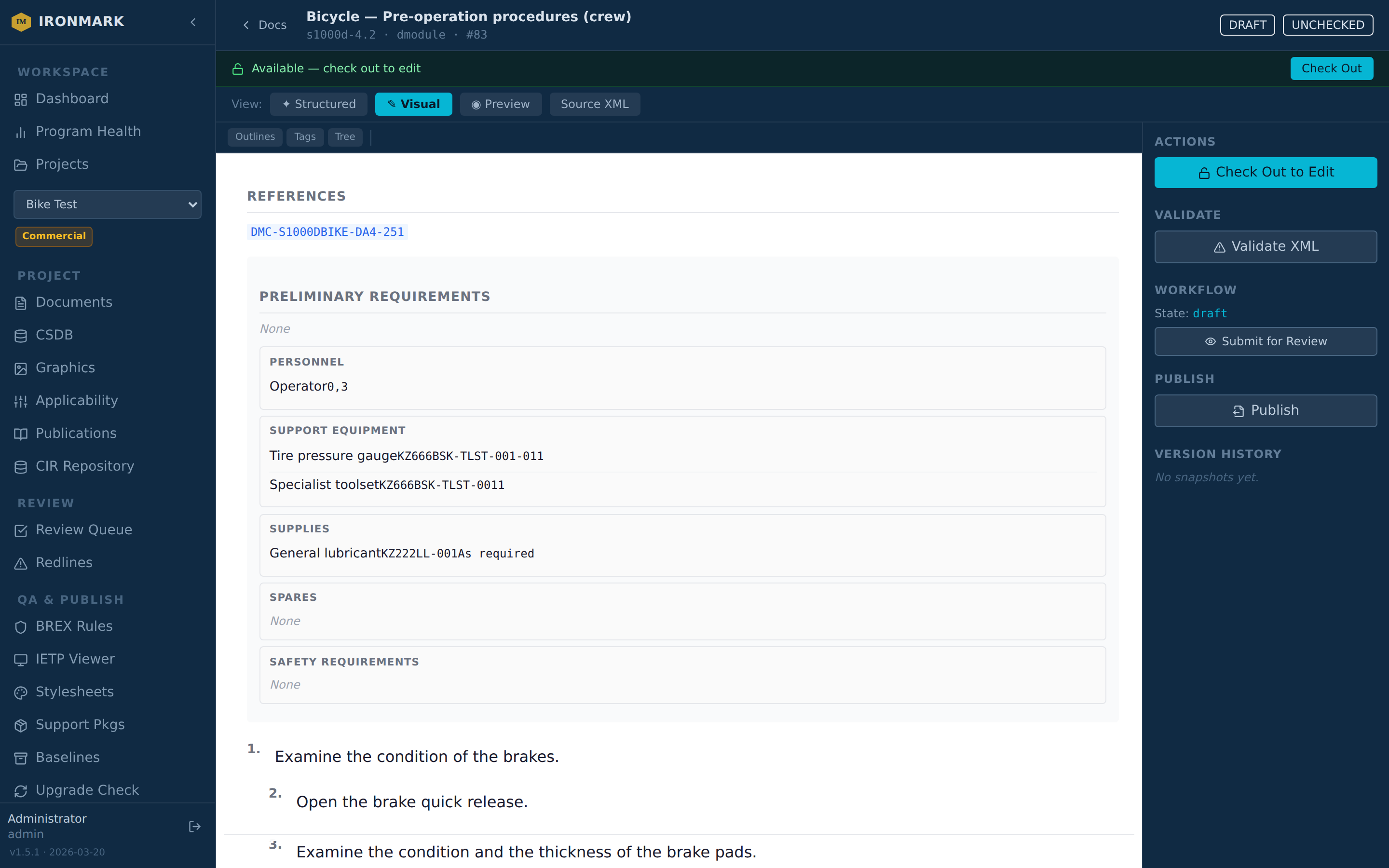
Visual
WYSIWYG-style editing over the document's rendered form. Best for narrative sections and long-form text where the tree gets in the way. Cursor-aware inline inserts and right-click context menus expose the same schema-legal options as the structured view.
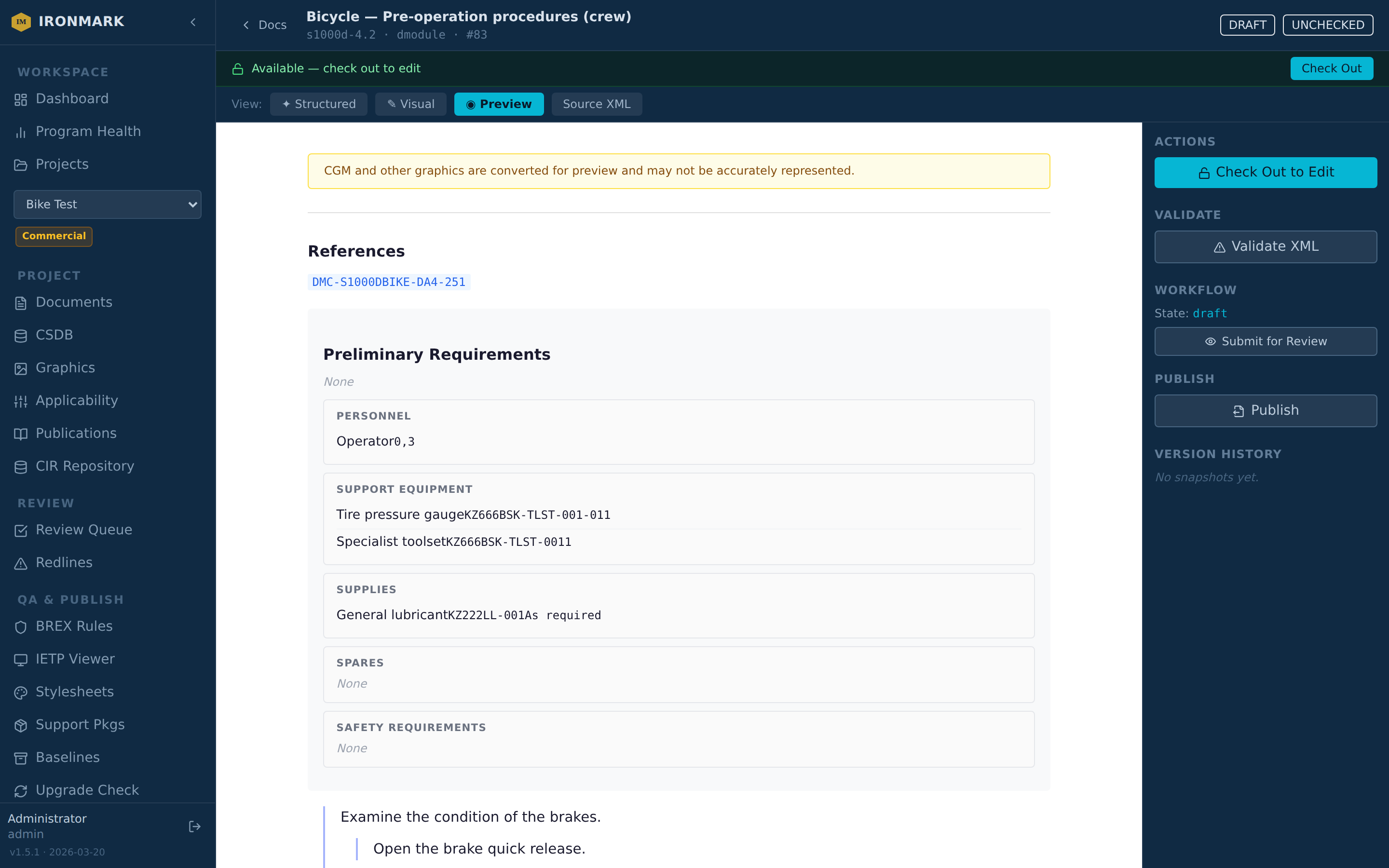
Preview
Read-only render of the document as it would appear in publish. Stubs (xrefs, CIR references, applicability) are resolved; graphics are converted for display. Useful for a fast "what does this look like published" check without kicking off a full publish job.
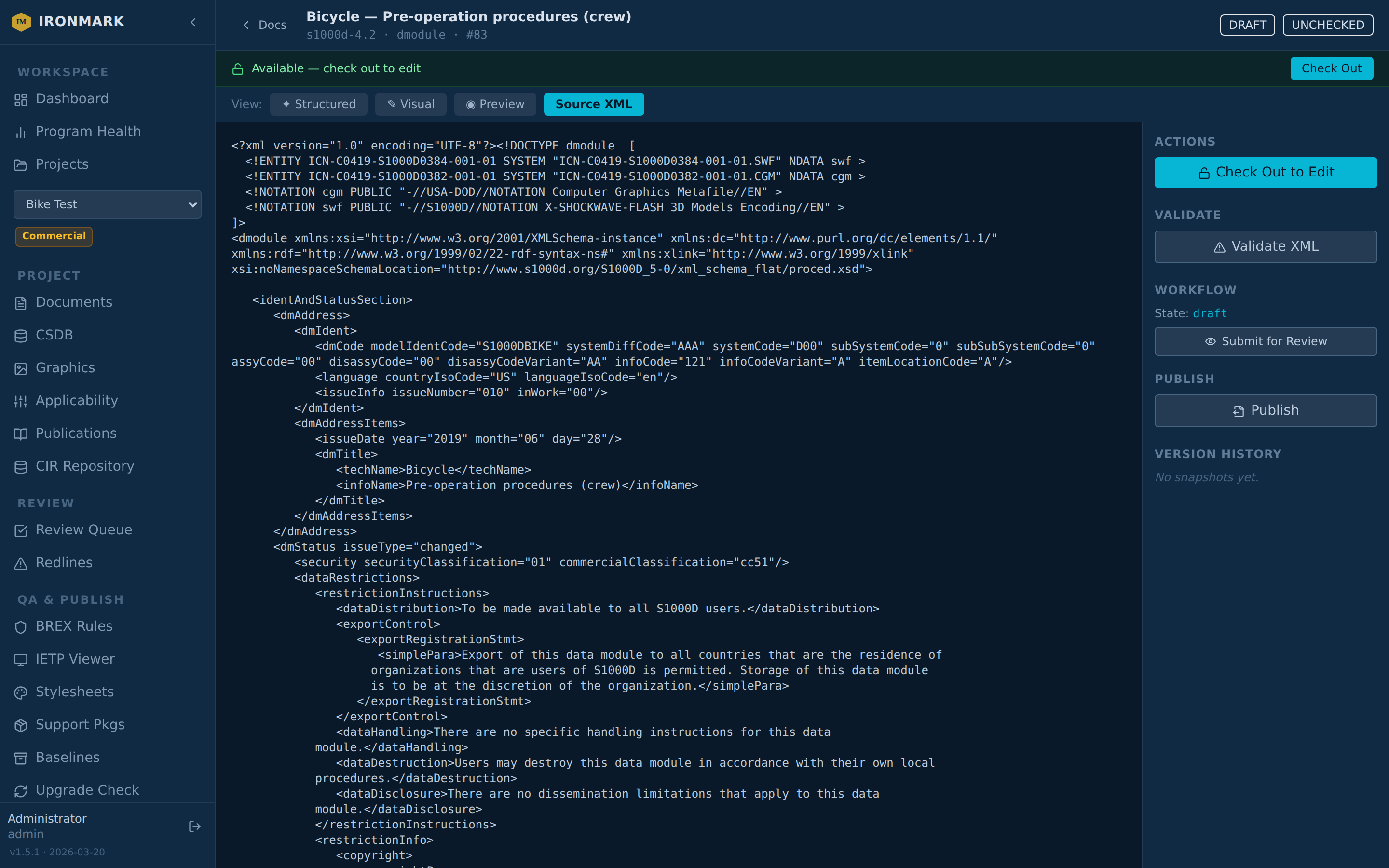
Source XML
Raw XML. For when you need to see (or edit) the exact serialization. Same document; nothing hidden. Syntax highlighting, schema-aware validation, and change-bar tracking still apply — the source view is not a fallback, it's the same content shown differently.
IPD and PM specializations
Two document types get purpose-built editor modes instead of the generic structured view:
- IPD — parts catalog editor (per-figure item rows, callout/PN/CAGE/NSN/qty/effectivity columns)
- PM — Publication Module builder (TOC + section ordering + per-section stylesheet override)
Both auto-activate when the document's root indicates the type. Toggle back to Source or Preview to inspect the underlying XML.