Home → How-To → Run a peer review with IPRF
Run a peer review with IPRF
IPRF (In-Process Review Form) is the review surface for a single document. Open a review, assign reviewers, they mark decisions per-item, aggregate closes to a single outcome, and — if the project opts in — approval bumps the S1000D issueNumber automatically.
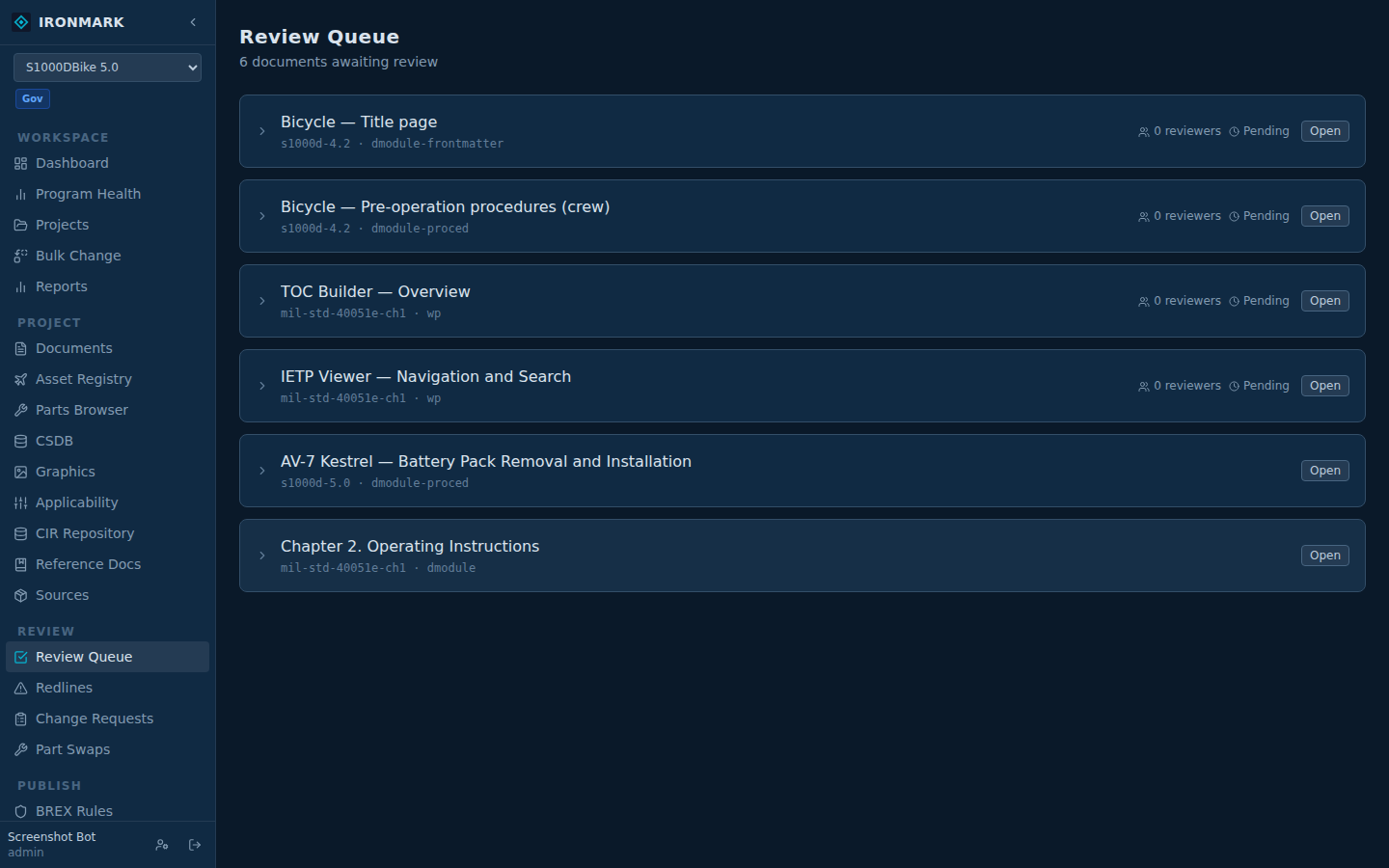
Open a review
From the document
Open the Editor for the document you want reviewed. Header actions include Open Review (admin, QA, and peer_review roles). A new IPRF is created, scoped to this document + this cycle.
Or from Review Queue
Left nav → REVIEW → Review Queue shows every open review across the projects you have access to (with an optional single-project filter). Open new reviews from here in bulk when kicking off a cycle.
Assign reviewers
Two ways: assign to specific users, or leave it open and reviewers pick items themselves.
Named assignments
On the IPRF, click Assign and pick users. Assigned reviewers see the review in their queue and get notified per the notifications settings.
Review a document
Per-item decisions
The IPRF renders the document alongside a decisions panel. Reviewers walk sections, mark each as accept / accept with change / reject, and leave comments. Redlines can be filed against specific paragraphs.
BREX + schema validation in the same view
Rule violations from BREX and schema errors show inline alongside reviewer comments — reviewers see quality debt without leaving the review surface.
Close with an outcome
When every reviewer has decided, close the IPRF with an aggregate result: approved, approved-with-changes, rejected. The aggregate lands on the document's workflow_state.
Approve → workflow_state = approved
Document moves to the approved state. If the project has auto up-issue on approval enabled, the S1000D issueNumber bumps and inWork resets to 00. See below.
Rejected or changes-required → back to author
Author addresses comments, checks in a revision, and opens a follow-up review. History from prior cycles stays on the document — the audit chain records each transition.
Auto up-issue on approval
S1000D convention: an approved DM cuts the next issue. Ironmark's default matches — closing an IPRF with the "approved" aggregate bumps issueInfo/@issueNumber and resets inWork to 00.
Not every program wants this. Some cut issues at delivery time and want the number stable across approvals. Turn it off in Project Settings → Auto up-issue on approval. With the toggle off, approval closes the review without touching the DM's issue metadata.
Gotchas
- Reviews are per-document, per-cycle. A DM's review history for the current cycle is separate from prior cycles' reviews.
- Feedback counts on the Documents page reflect open customer feedback (DA-2028 and portal redlines) for the DM's current cycle — separate from IPRF reviewer comments.
- Interim saves during a review. Author edits mid-review land on the working copy, not the released copy the reviewer is reading. Reviewers see the last check-in; the author checks in again to make edits visible.
- Notifications can be tuned per user: email on review assigned, comment added, approval — all live in User Preferences.