Home → Workflow → Parts & RPSTL
Parts & RPSTL
Parts data lives across a project's IPD / RPSTL DMs. Ironmark provides a cross-DM view on top of that data — search, tree, detail — plus authoring aids for filling in and maintaining the catalog.
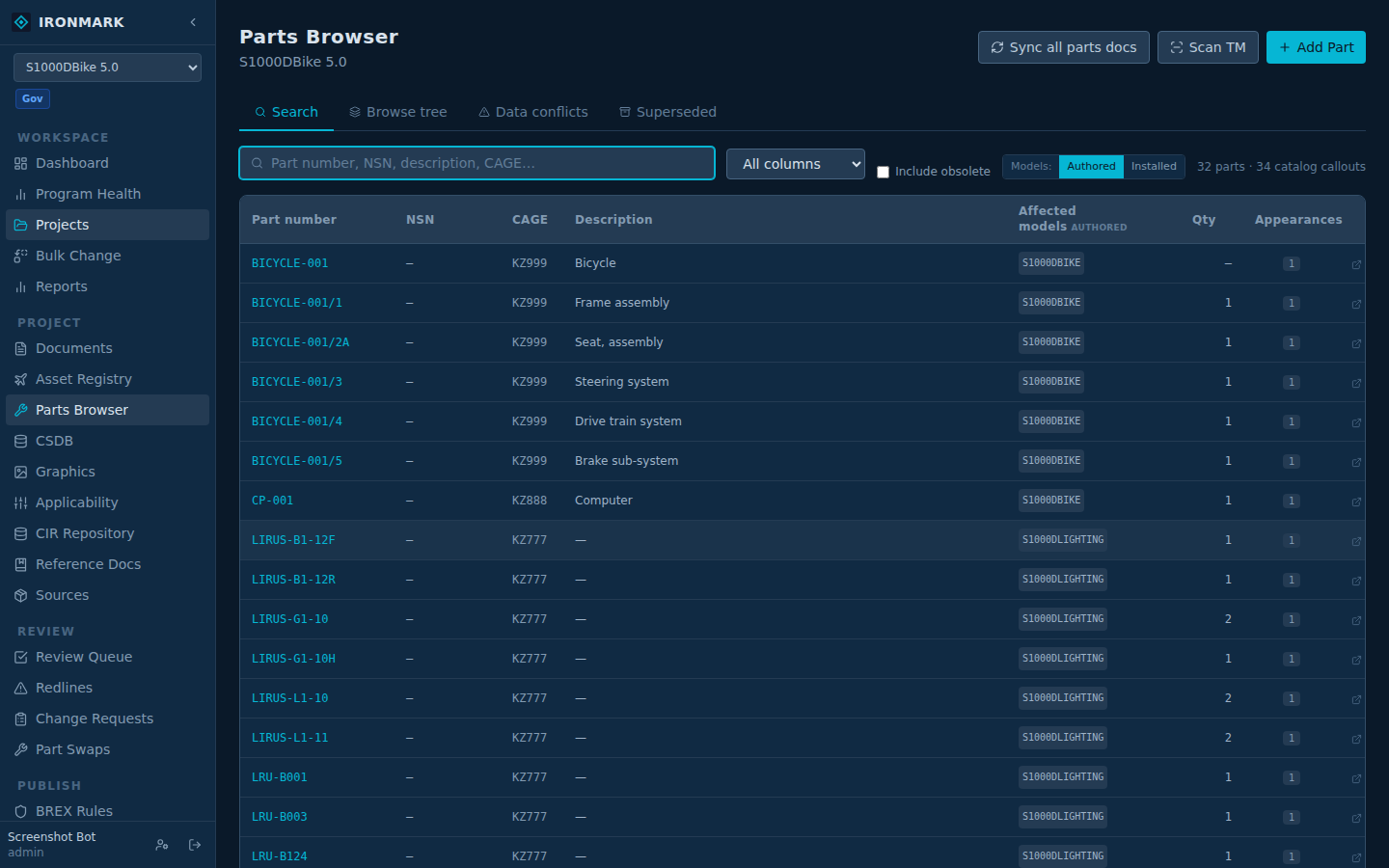
Parts Browser
Cross-DM search. Type part number, NSN, description, or CAGE — the browser walks every IPDCatalogEntry in the project. Results aggregate by (PN, CAGE); the row expands to show every callout across every DM the part appears in. Also supports:
- NHA tree view — hierarchical breakdown by parent → child
- Superseded parts tab — every PN retired via a part swap, whether the swap was applied to the catalog or not
- Data Conflicts tab — rows where fields disagree across DMs (partial population, PN clashes)
- "Also search in family" toggle — when the project is in a TM Family, unions in read-only results from sibling projects
Catalog editor (IPD authoring)
Per-figure catalog editor. Figures come from the source XML; items land as callout / PN / CAGE / NSN / description / qty / effectivity rows. Sync-from-XML rebuilds the catalog from the DM's current source; write-to-XML flushes catalog edits back into the DM's XML content on save.
Scan TM
Walks every non-IPD DM in the project for partRef mentions that aren't in the catalog yet. Returns candidate PNs with the source DM + context. Bulk-import the accepted rows into a target IPD DM. Useful during the initial catalog build — a program that authored parts inline for years catches up in a single pass.
Part swaps
First-class entity. Sources: manual entry, MRO ticket, RMA reference, squadron notice, depot notice, field report, or other. Tracks old PN + new PN + CAGE + reason + reported/approved dates. On approval, one-click Apply to catalog rewrites matching IPDCatalogEntry rows and updates <partRepository>/<partSpec> declarations. Swap history stays attached to both the old and new PN.
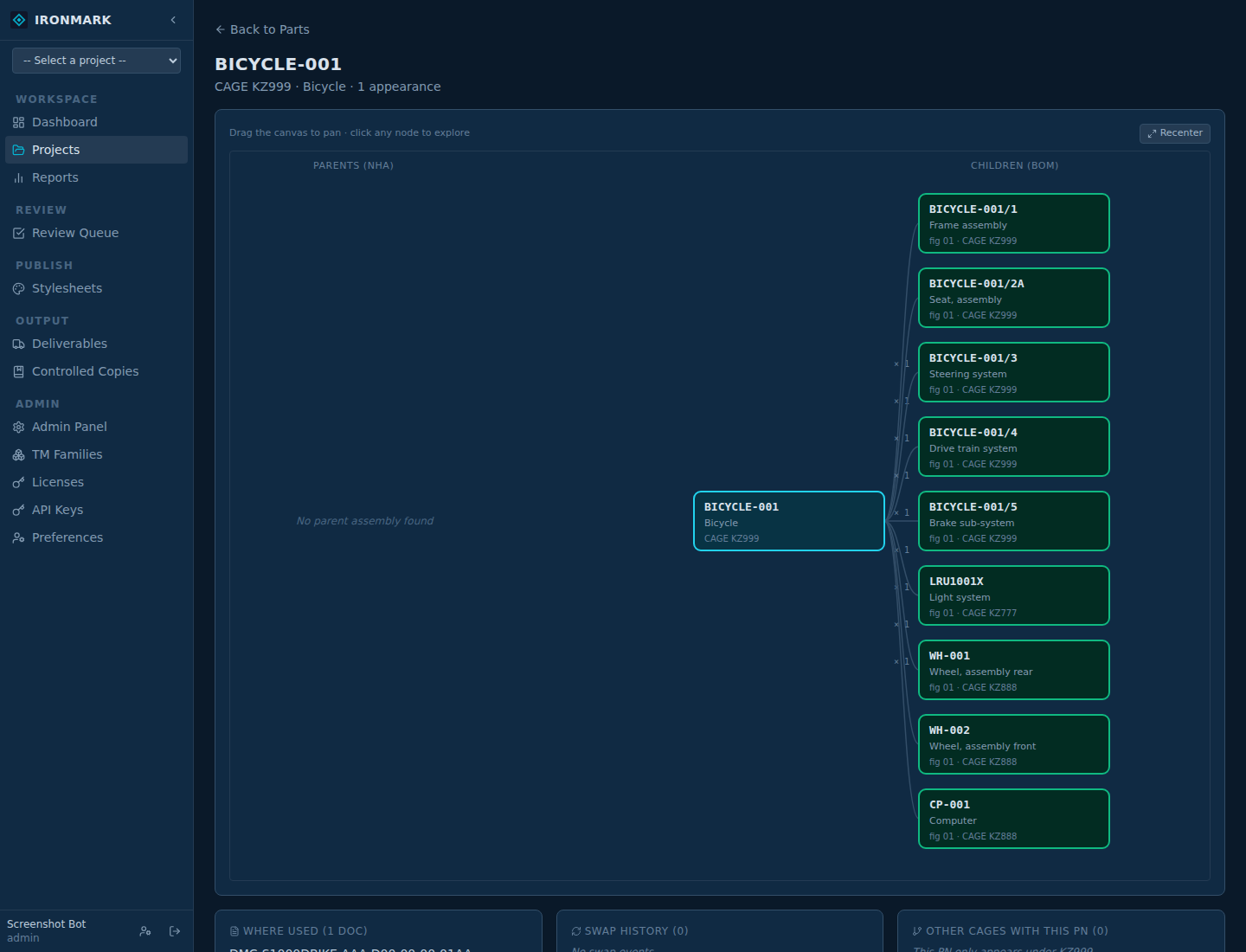
Part relationship graph
Visualization of a PN's relationships — where it's called out, which figures reference it, which assets carry it. When the source XML has no explicit indenture, a flat-figure fallback synthesizes the tree so the graph doesn't come up empty.
Installed-parts fleet timeline
Per-serial asset-to-part timeline. Records which PNs are installed on which assets over time. Feeds two things:
- The Parts Browser's Installed models view — an alternate to the DMC-derived "Authored models" column
- Part swap impact analysis — when an old PN is retired, the fleet timeline shows which assets need touchup
IPDCatalogEntry table — one canonical source of truth for a part's data in a project. Cross-project data is read-only via TM Family (task-family lookup); no cross-project write path.
40051 RPSTL specifics
40051 RPSTL DMs (plwp) use the same catalog surface as S1000D IPD DMs. Ironmark auto-detects and treats them consistently — same search, same editor, same scan-TM, same swap flow.