Home → Workflow → Applicability
Applicability
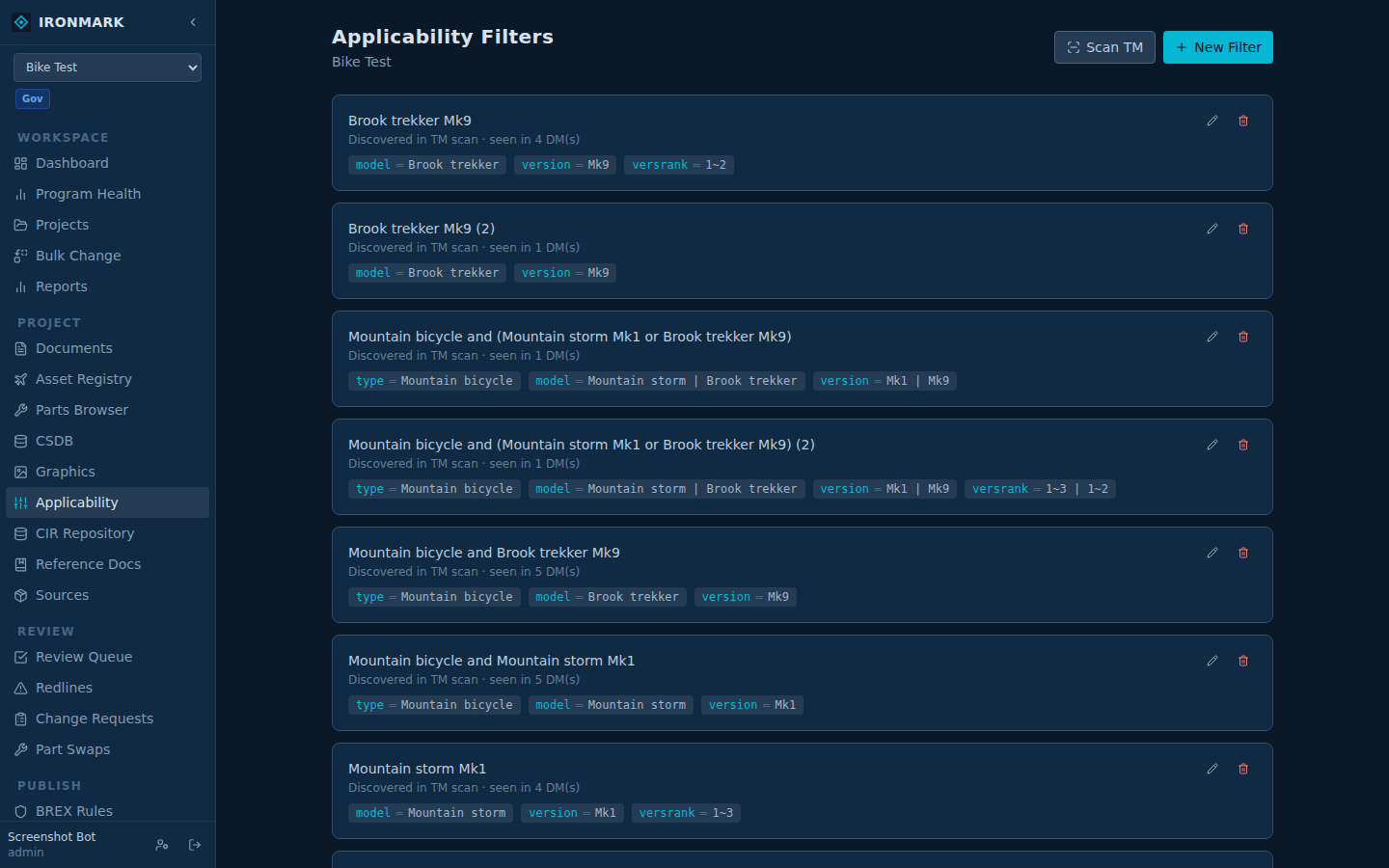
Applicability is how technical manuals encode "this section applies to model X but not model Y." Ironmark handles the S1000D vocabulary (CCT / ACT / PCT) and MIL-STD-40051 UOC natively, with a wizard for authoring filters and a preview surface that shows what a specific asset actually sees.
The vocabulary
- CCT — Condition Cross-reference Table. Defines the applicability vocabulary: every productAttribute the project uses and the allowed values for each.
- ACT — Applicability Cross-reference Table. Maps applicRefIds (used on content elements) to condition-set assertions built from the CCT vocabulary.
- PCT — Product Cross-reference Table. Ties applicability values to specific product identifiers (serials, tail numbers, MDS).
- UOC — Usable-On-Code. MIL-STD-40051's equivalent for maintenance-side applicability.
Filter wizard
New filter → pick attribute name from the ACT → pick value → save. Filters can compose (AND / OR). The wizard reads the project's applicability vocabulary and only offers names + values that are actually declared, so you can't build a filter that references something the ACT doesn't know about.
Per-asset preview
Applicability preview renders a DM against a specific asset — pick the asset from the project's asset registry, and the DM shows only the content that applies. Same rendering pipeline as publishing; what you see is what that asset gets.
Scan TM for existing conditions
When a project inherits applicability-tagged content from an existing manual, Scan TM walks the DMs for applicability conditions already in the XML and lists what it found. Useful during migration — you see the vocabulary shape the source manual used before you decide how to align it to your new project's ACT.
Ingest source → master
The applicability-tagged rollup: a source project holds content authored under one applicability scheme (e.g. logistics product data from GEIA-STD-0007). A master project ingests, and every ingested doc lands with an applic_tag attached. Downstream filters treat the ingested rows the same as native-authored content. Ingest records track baseline provenance so a later "newer baseline available" state surfaces when the source has advanced.