Home → How-To → Create a support package
Create a support package
A support package is a signed, tier-encrypted bundle of the diagnostic state Ironmark needs to help you troubleshoot — logs, config, project metadata, optionally content. Sanitize option strips or randomizes program-identifying content before packaging, for programs that can't hand over raw customer data.
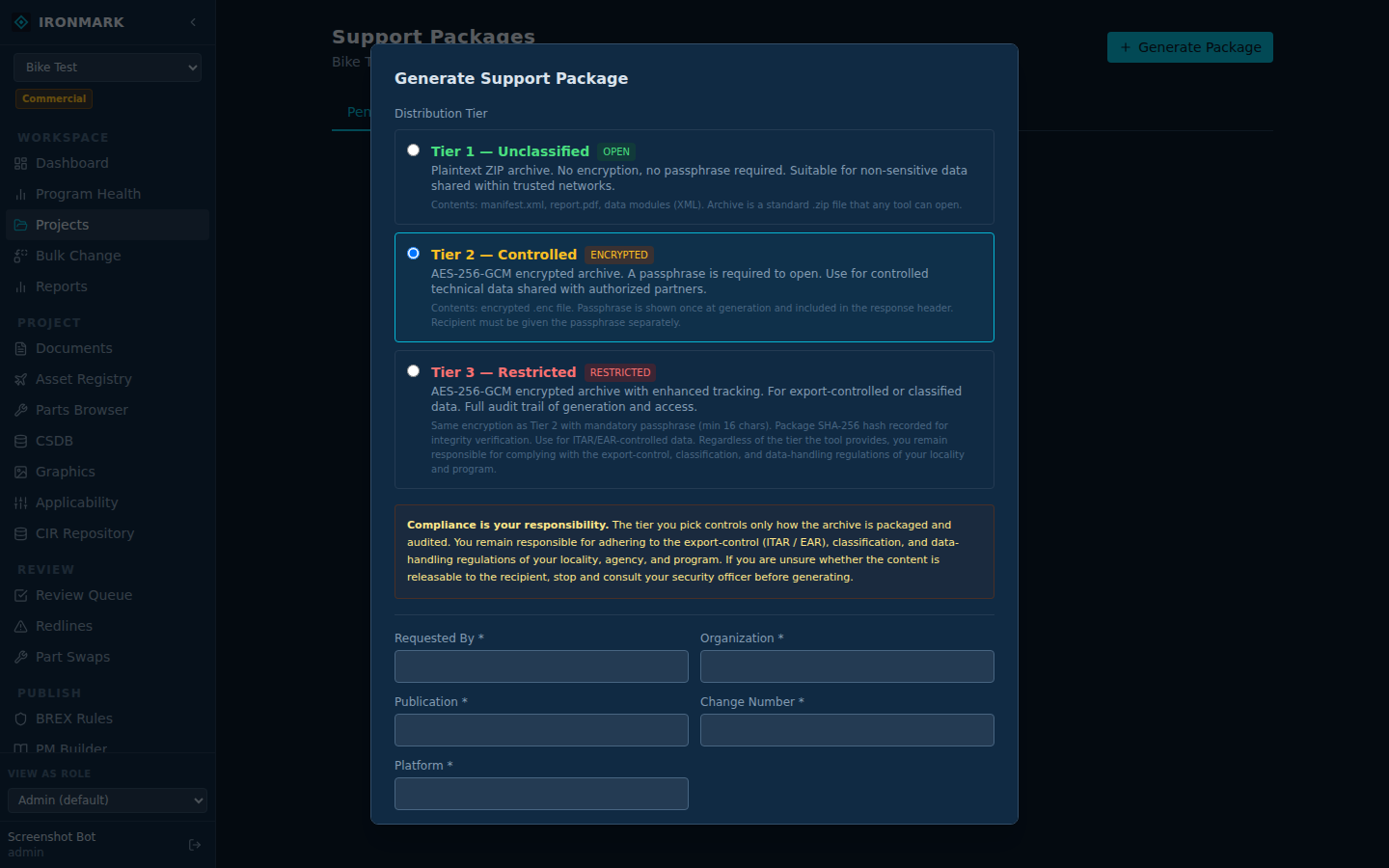
Produce a package
Open the project
From Projects, click into the project you're reporting on. The left nav switches to that project's context.
Left nav → SUPPORT → Support Packages
The Support Packages surface lists every prior bundle for the project. Click Produce Package.
Pick scope + encryption tier
Choose what to include: diagnostic logs (always), project config (default), project content (opt-in, larger). Then pick the encryption tier — customer-key (only your team can open) or vendor-key (Ironmark support can open).
Toggle sanitize if program requires
The Sanitize checkbox strips or randomizes program-identifying content before packaging — asset serials become SN-XXX, DMCs become synthetic, user names become USER-1. On for programs that can't share raw data.
Produce & download
Ironmark builds the package (usually seconds; content-included packages can take longer). The row appears in the list; use the download link to grab the .tar.gz.enc.
Sanitize — what it does and doesn't do
Sanitize is a one-way transformation. Applied on the fly during packaging; the source data on your instance is untouched. Sanitize handles the categories Ironmark can identify deterministically:
- Asset serial numbers →
SN-1,SN-2, ... - DMCs / DMC-like identifiers → synthetic model+serial pattern
- User names + emails →
USER-N - Project names → project id only
- Free-text fields (comments, review notes) → redacted
What sanitize does not touch: schema definitions, publish stylesheets, general system config, log entries whose values look like generic identifiers. Anything you know contains sensitive detail Ironmark can't classify — hand-redact before sending, or use content-excluded mode.
Encryption tiers
- Customer-key — encrypted against a public key you provide. Only your team holds the private key. Ironmark support cannot open the package; you'd need to decrypt on your side and share the specific artifact.
- Vendor-key — encrypted against Ironmark's support public key. The Ironmark support team opens it; the artifact stays inside Ironmark's authenticated environment.
Getting it to us
The package is a single file. Attach to a support ticket, drop in a shared folder, or transfer through whatever channel your program's data-handling policy allows. Vendor-key packages can be shared over normal channels since the file is encrypted at rest.